
Textalyz FAQs – All Your Questions Answered!
Everything you need to know about Textalyz
Once installed, the extension works wherever you type – Gmail, Notion, LinkedIn, Twitter, and more. Just highlight any text, right-click, and choose from tools like Summarize, Paraphrase, Translate, Fix Grammar, or use a Custom Prompt.
Nope. It works right inside your current tab; no switching, no distractions. It’s like having your writing assistant baked into your browser.
Any site where you can type or select text, including Google Docs, messaging platforms, social media, CMS dashboards, and email platforms.
Not at all. Textalyz is lightweight and optimized for fast, seamless performance.
Just install it and use the command /send before your message. Textalyz will offer options to paraphrase, fix grammar, format, or translate the message before you post it.
Yes. During setup, you can select which channel(s) to integrate with. You can also change preferences or re-authorize new channels at any time.
No. Textalyz processes your input in real-time and doesn’t store any message history unless explicitly saved via your workspace account. Your data stays private and secure.
Yes — both the Chrome Extension and bot for Slack are free to start with. You get access to core features without needing a credit card. Premium plans (coming soon) will unlock advanced usage limits and team features, but you’ll always have access to essential tools for free.
Nope. You’ll still have access to your workspace and past projects. You’ll simply hit usage limits until your plan resets or you upgrade.
Yes! Team plans and usage-based upgrades are available in your dashboard, and you can pay via Stripe or request billing support directly.
Your All-in-One Intelligent AI Assistant Solution
Summarize, rewrite, translate, and fix grammar — right from your Chrome browser.
No tab switching, No stress.
Supporting Every Team's Needs
Improve team communication quality by 90% with tailored assistance that ensures clear, professional messaging.
Grammar assistant for impactful and professional messaging
Grammar assistant for persuasive and error-free communications.
Grammar assistant for clear and efficient operational communications.
Grammar assistant for precise technical communications
Break Language Barriers Across Teams
Check all these real users with real results.
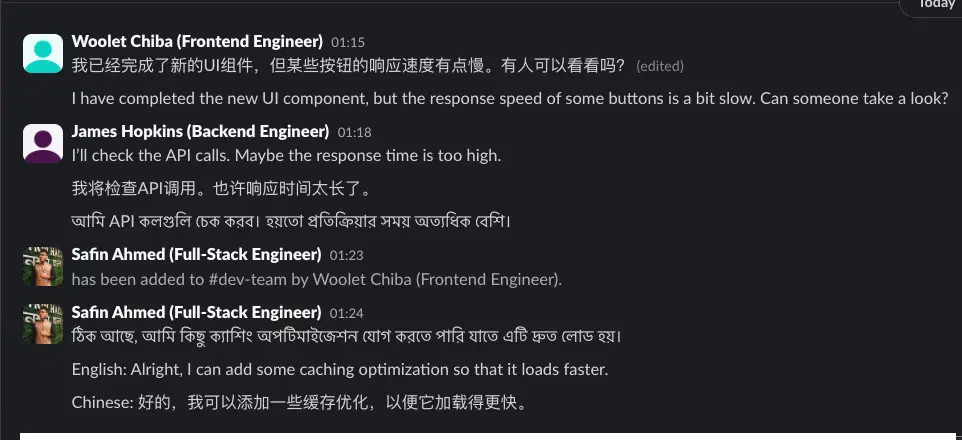
Developers Collaborating on a Feature Update
See how engineers from China, the US, and Bangladesh work together seamlessly with AI-powered translations.
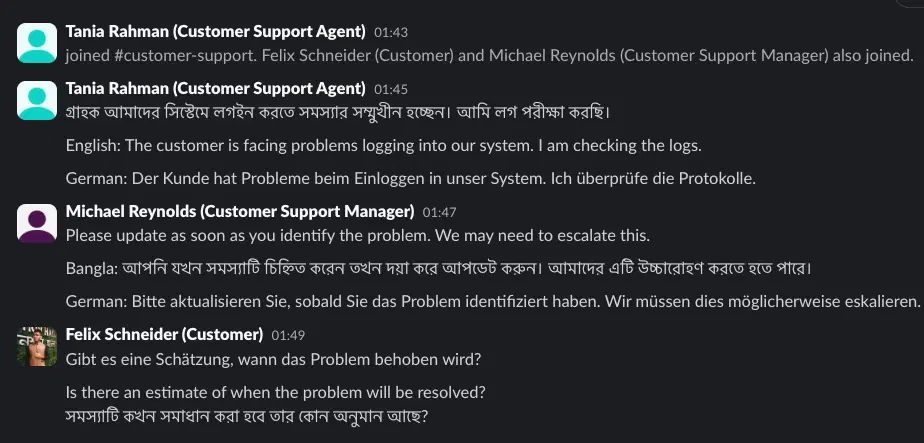
Customer Support Handling a Multilingual Ticket
Support agents can communicate with customers across different languages without barriers.
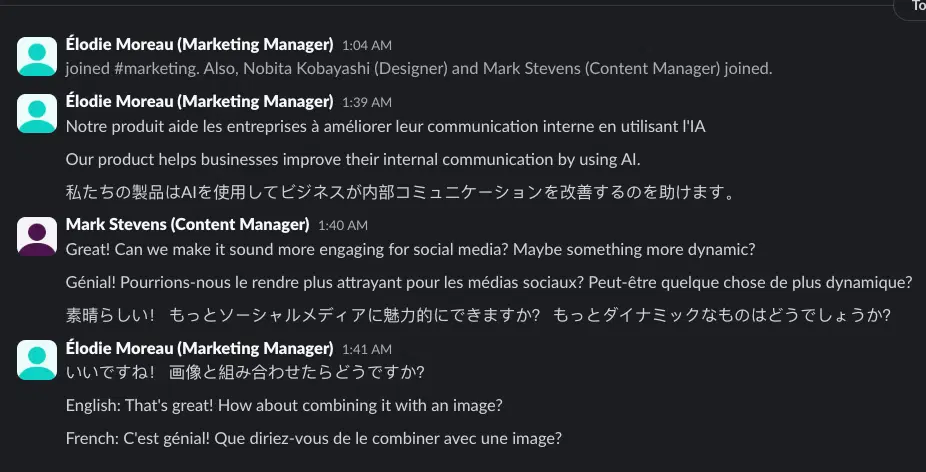
Marketing Team Refining a Social Media Post
Marketing professionals collaborate on content across multiple languages, ensuring clarity and impact.
Ready to Begin?
Embark on the journey of creating your very own AI-powered assistant effortlessly.